CryoCloud Motion Correction
Description
• CryoCloud’s own algorithm for patch-based, dose-weighted motion correction of micrograph movies
Inputs
• Raw movie files (.tif/tiff, .mrc, .eer)
• Gain reference file (if movies are not already gain corrected)
Important parameters
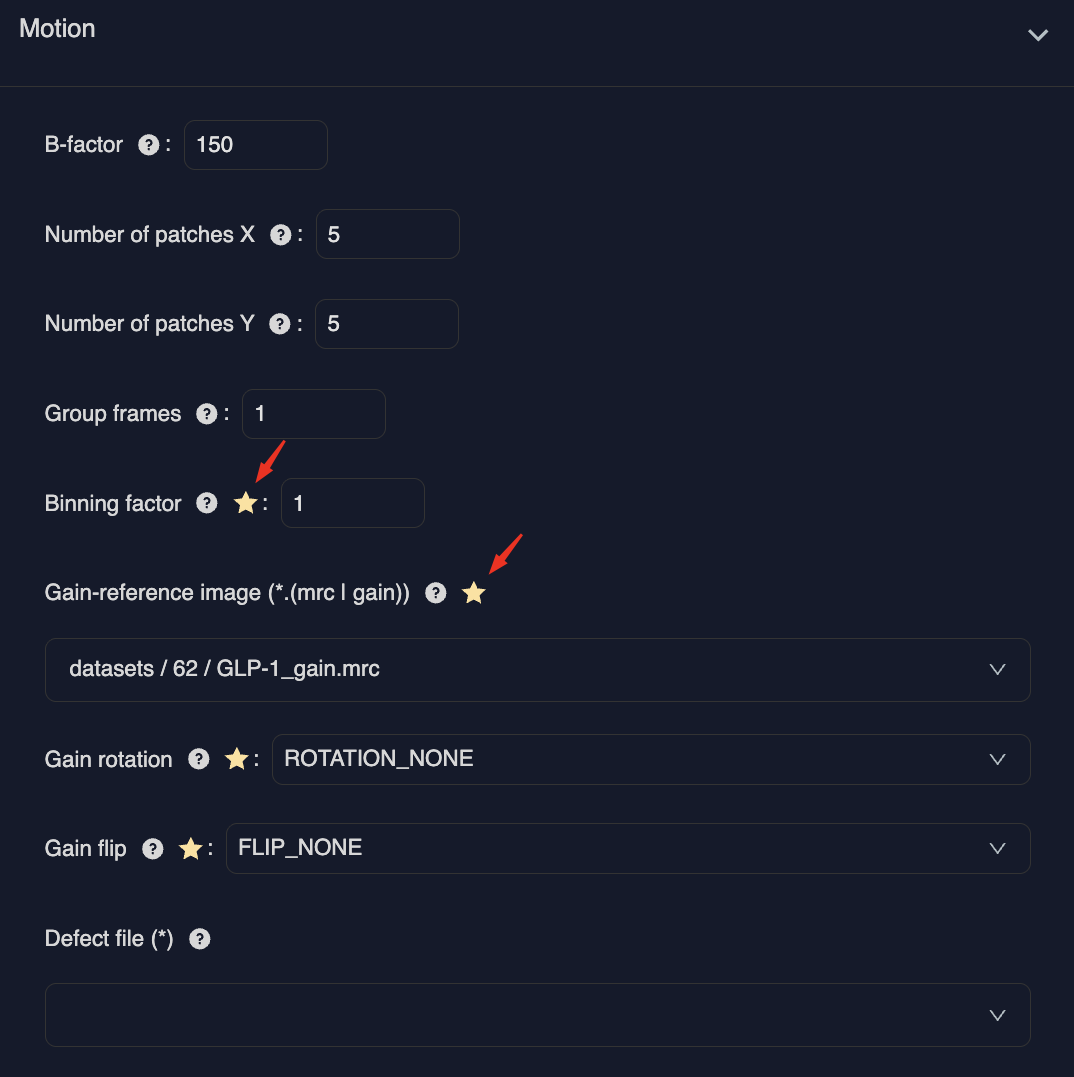
Note – Parameters marked with a star are auto-filled based on the dataset acquisition parameters these include:
• Gain reference file
• Gain rotation and flipping requirements
• Dose per frame (ignore for EER movies)
• Binning factor – (Default value is 2 for super resolution K3 movies, 1 for everything else)
Handling tiff and mrc movies
Where the detector is square (e.g. Falcon4) the remaining default parameters are acceptable.
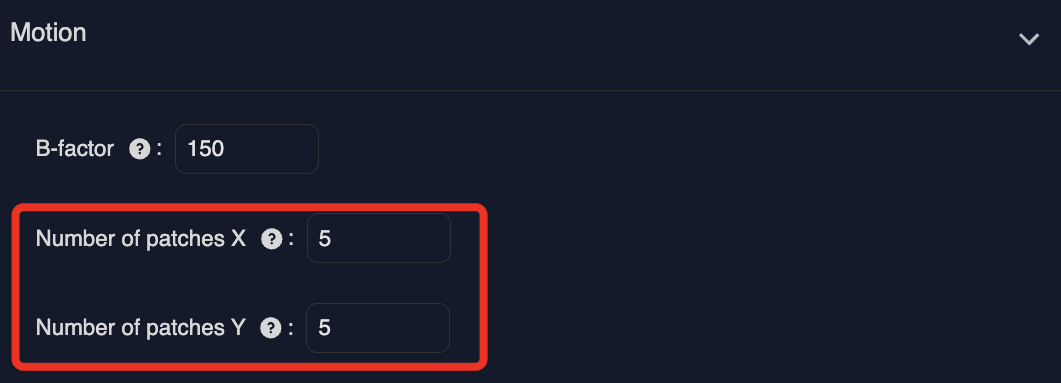
For K3 data, it is recommended to alter the number of patches from 5 in X and 5 in Y, to 7 in X and 5 in Y, for even patches across the rectangular detector.
Handling eer movies
You can either provide:
- and
OR
- and
Here refers to your desired dose per fraction. EER frames will be automatically grouped to achieve this value.
Output
• Aligned, dose-weighted, averaged micrographs
Inspecting results
On completion of the job, you will have access to an interactive results page.
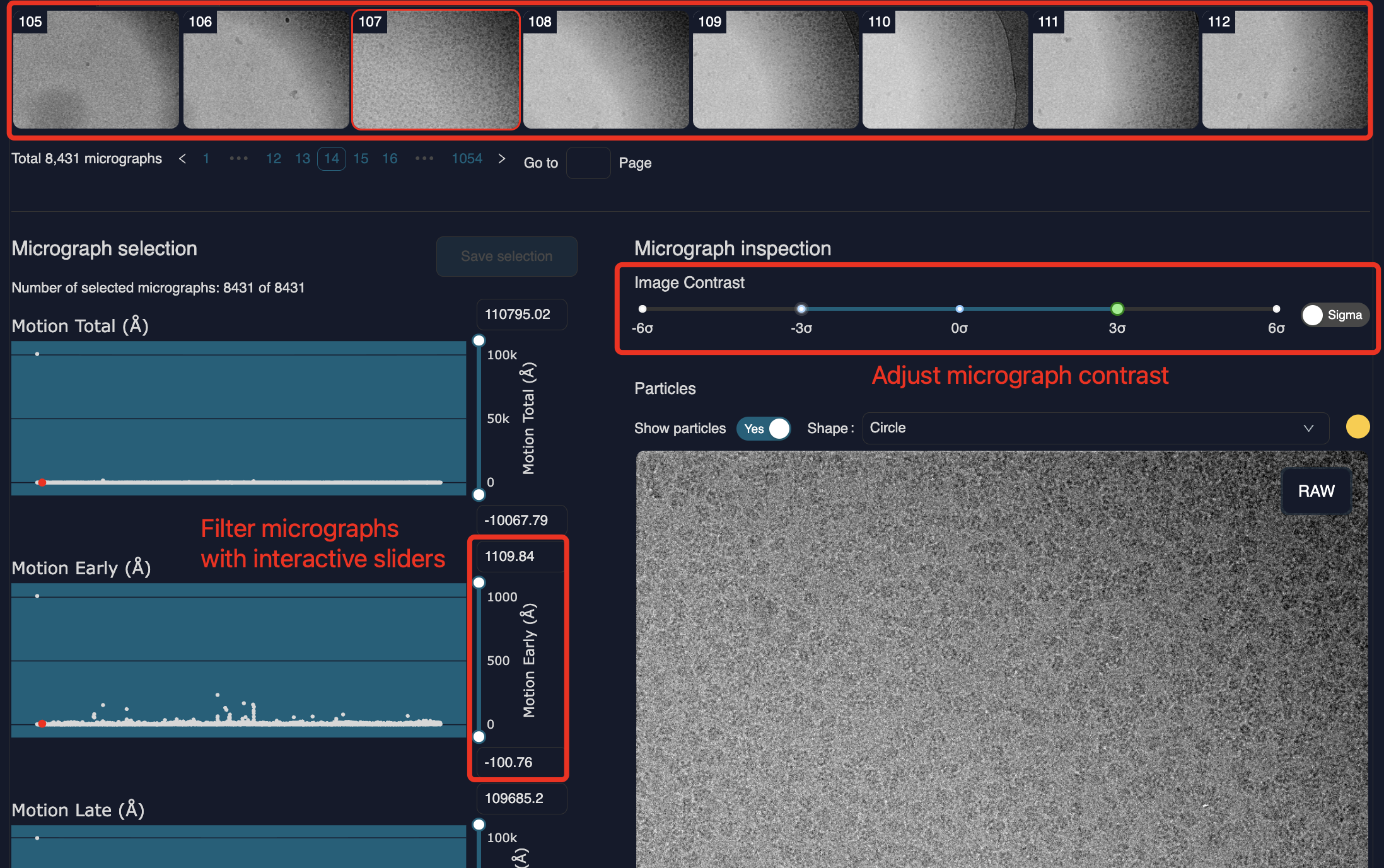
Micrograph thumbnails are displayed across the top of the screen. These can be clicked on to change the micrograph in the main inspection window. The contrast of this micrograph can be adjusted with the interactive slider.
On the left-hand side are various scatter plots displaying micrograph metrics such as the total motion, the early motion and the late motion. The interactive sliders to the right of the plots can be used to curate good micrographs/ exclude outliers.
However, we recommend curating micrographs after running the CTF estimation job. Here, the metrics by which you can filter will give greater insight into micrograph quality, allowing you to more easily exclude poor micrographs.